Start with the visitor’s questions
An event post should help someone decide whether they can attend, not merely announce that something is happening. Explain what the event is, whom it is for, the date and time, the location or online format, and what action is needed. If a ticket or booking is required, say so clearly.
Gather the information from the organiser before designing the graphic. Check the full address, time zone for online sessions, cost and any age or access conditions. Do not promise a facility or adjustment until the person responsible has confirmed it. If a detail is still being arranged, say how someone can ask for an update.
Make the practical details easy to find
Place essential information in readable text as well as on a poster or image. A visitor using a screen reader, a small phone or a poor connection should not need to decipher tiny words in a graphic. Use a clear description for meaningful imagery and avoid relying on colour alone to distinguish dates or ticket types.
Link to a single current source of full details where possible. A page controlled by the organiser can explain the programme, booking process, facilities and contact route in more depth. Test the link and ensure the person responsible can update it if arrangements change.
Explain access without guessing
Consider how someone will arrive, enter, participate and ask a question. Relevant information might include step-free access, seating, accessible toilets, audio support or the format of an online session, depending on the event. Confirm each detail with the venue or organiser rather than copying a generic claim from an old post.
Provide a practical contact route for individual access needs and make sure it is monitored. Avoid promising that every possible need can be met without checking the arrangements. The GOV.UK inclusive-communication guidance offers a useful starting point for thinking about different participation needs.
An event information route
- DiscoverExplain the event and audience
- DecideShare date, place and access details
- BookProvide a working next step
- UpdateCorrect changes across channels
Build a short sequence
An initial announcement can introduce the event and its practical details. A later post might answer a common question, explain an activity or share a genuine preparation update. A reminder can restate the date and route to current information without suggesting that limited places remain unless the organiser has confirmed it.
Each post should stand alone for someone seeing it first. Keep dates and conditions consistent, and give the reader a reason to follow the link. If the event is already full or cancelled, update scheduled posts and the destination promptly rather than allowing a stale invitation to continue.
Use photographs and permissions carefully
Check who owns each image and what the agreed licence permits. If a photograph shows participants from a previous event, consider whether the people shown agreed to the new promotional use and whether private or identifying information appears in the background. A public image is not automatically available for any marketing purpose.
If no suitable photograph is available, use an original graphic that states the essential information clearly. Describe meaningful visuals and provide accurate captions for spoken video. If you use a partner’s logo or quote, agree the wording and context with that partner rather than implying endorsement.
Example: a local open day
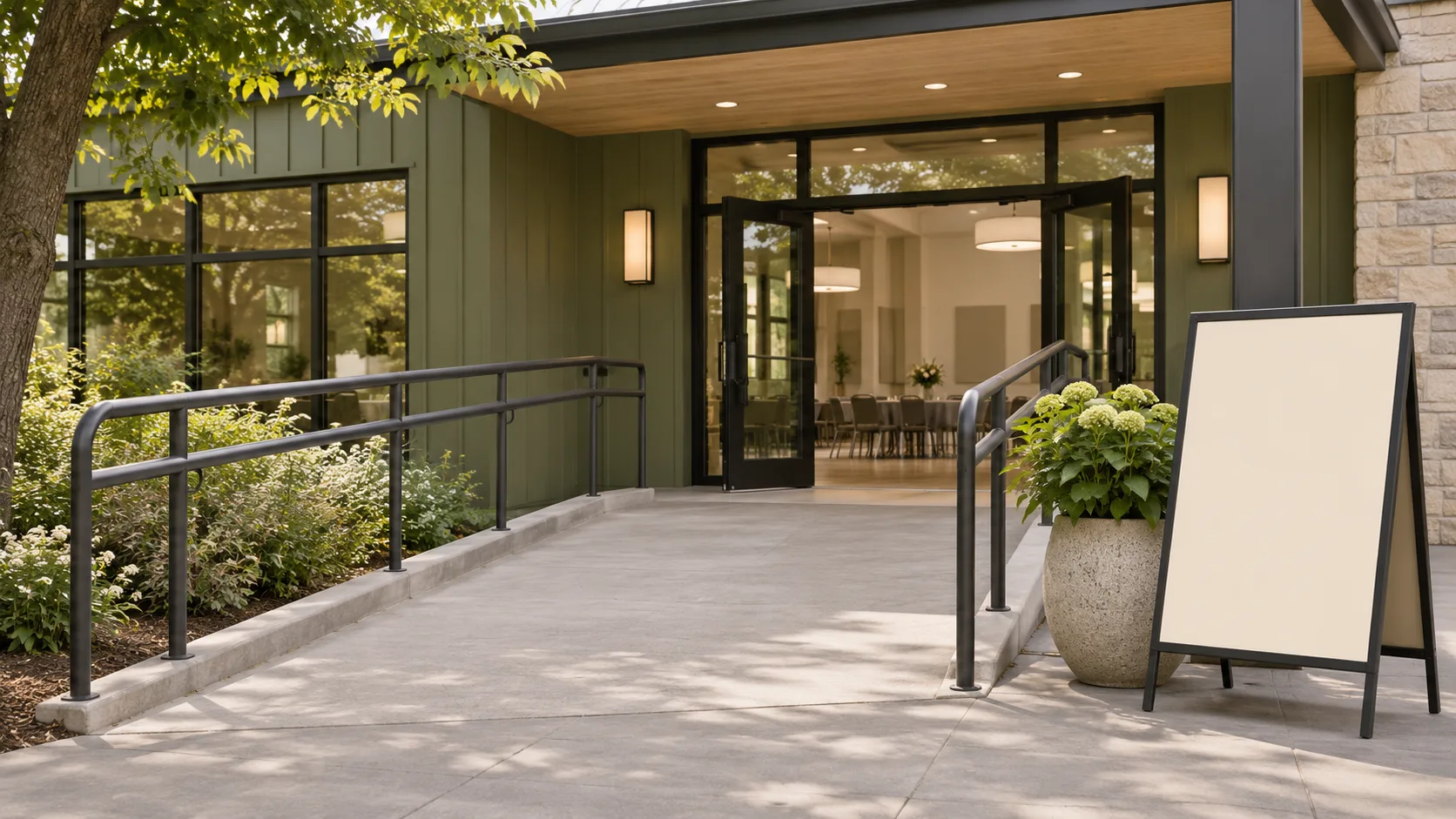
Imagine a Hertfordshire creative organisation hosting an open day. The organiser confirms the date, public opening hours, address and entry arrangements. Its post explains what a visitor can see, whether booking is needed and where to find access information. An image description explains the entrance shown in the photograph.
When a timetable changes, the team updates the main event page and amends scheduled social messages. The example is illustrative; it is not a claim about a real event, venue or facilities. Visitors are given a contact route for questions that the published details do not answer.
Plan for questions and changes
Assign someone to monitor responses before and during the event, particularly questions about booking and access. If a question requires personal details, offer a suitable private route rather than asking someone to publish them in a comment. Keep the response accurate even if that means checking with the organiser first.
Afterwards, remove or label expired booking information and consider what was repeatedly unclear. Avoid presenting attendance figures, photographs or testimonials as approved for future marketing unless you have checked the relevant rights and permissions.
Prepare one reliable event information page
A social post is often shared without the rest of the campaign, so it should carry the essential date, place and booking instruction. A single event page can then hold fuller information that is easier to maintain: the programme, verified access arrangements, cost, directions and a monitored route for questions. Link each announcement to that current page rather than creating several conflicting versions.
Agree who can update the page and who checks social posts if the timetable, location or capacity changes. If registration closes, the destination should explain that position and provide a useful next step where appropriate. A broken booking link or an unmonitored email address can create frustration even when the original graphic looks polished.
Test the page with an unfamiliar reader using a phone and, where practical, a keyboard or assistive technology. Ask them to find the start time, understand any charge and locate the access contact. Fix the particular obstacle they encounter, then recheck the live page after an update. Do not treat a single quick test as a complete accessibility assessment.
Give the event page a named owner who can answer practical questions and make corrections. If a detail such as hearing support or step-free access has not been confirmed, do not convert an assumption into a promise. State the information you do know and offer a monitored contact route. For an online event, check that joining instructions, caption arrangements and any required software are described clearly before registration closes.
Review before publishing
Check the who, what, when, where, cost and booking details against the current organiser information. Confirm any accessibility statement, image permission, caption and link. Agree who can publish a correction and what happens if a key detail changes outside working hours.
A clear event message reduces avoidable uncertainty. It can also make the organiser’s work easier because visitors can answer routine questions before they need to contact the team.